



All playbooks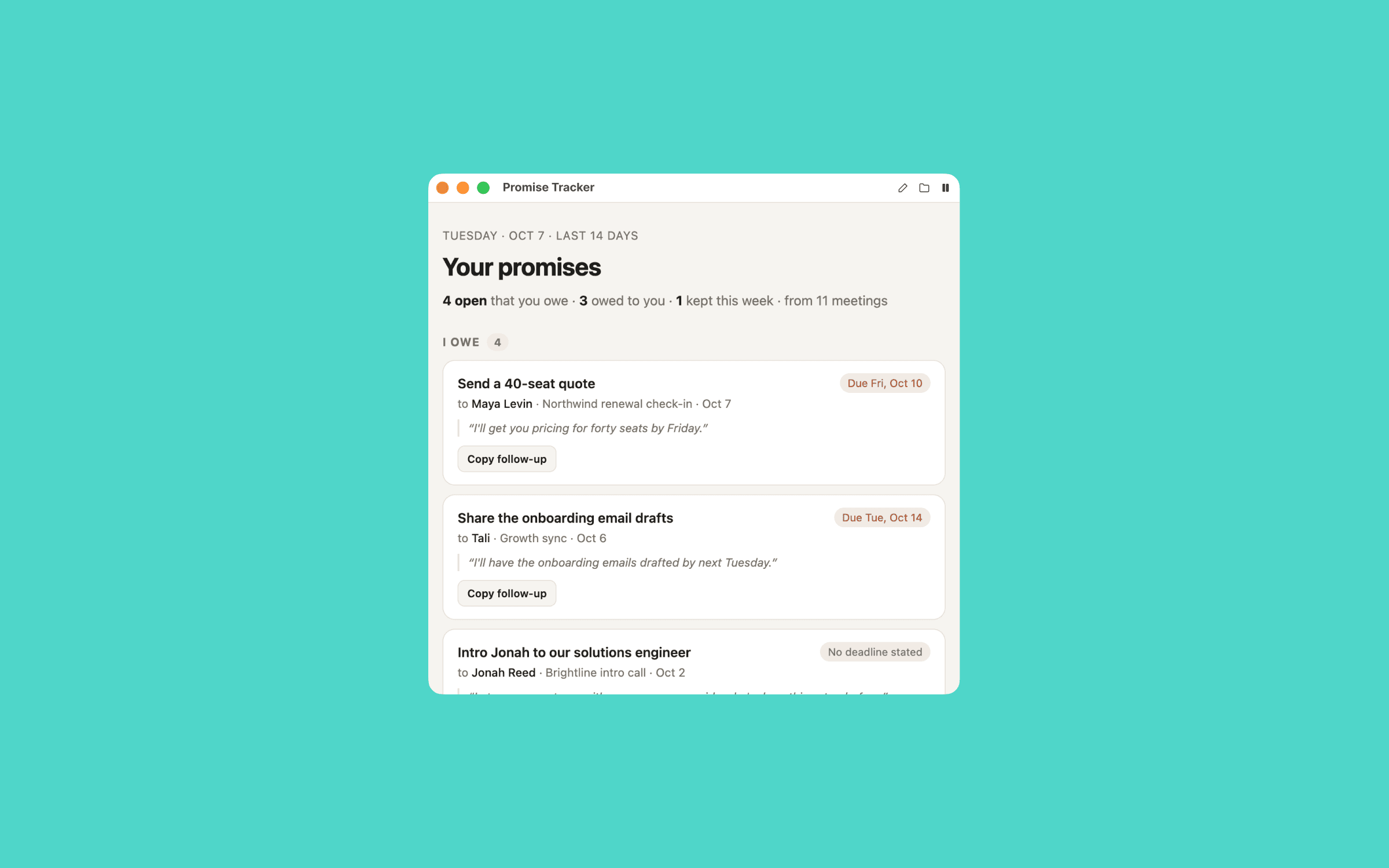
Promise Tracker
Everything you said you'd do, and to whom, before they remind you.
The prompt
Set up the Promise Tracker playbook from Timeless for me. It lists everything I said I'd do in my meetings, and to whom, before anyone has to remind me. Work through these steps in order.

1. Check Timeless first
Run `timeless version --json`. If `timeless` is not on your PATH, try /Applications/Timeless.app/Contents/Resources/timeless-cli/timeless (or the same path under ~/Applications). Then run `timeless status --json`.
- If both work and status shows "authenticated": true, tell me in one line that Timeless is already installed and connected, then go straight to step 2. Do not run the onboarding again.
- Otherwise: Set up Timeless for me. Fetch https://docs.timeless.day/cli/agent-install.md and follow those instructions exactly. When setup is done, continue with step 2.

2. Ask me first
Ask everything in one short message, suggest a default for each, and wait for my answers. If this message already answers something, don't ask it again.
- When should the tracker arrive? (default 17:00, so I can close loops before the day ends)
- Which days: working days only, or every day? Ask which days my work week runs, and don't assume.
- How far back to look? (default the last 14 days)
- Should it also list what other people promised me?
- What is my name as it appears in meetings? Offer what you can see in my recent meetings as the default.

3. Build it
Create a scheduled playbook named promise_tracker from my answers. Its prompt should:
- List recent meetings with `timeless meetings list --json` over the chosen window, then read each one's transcript (`timeless meetings transcript <id>`) and details (`timeless meetings get <id>`). Skip any single meeting that fails to load. If the list itself fails, or no transcript can be read, write nothing and print why. Finding zero promises is not a failure: say the slate is clean.
- A promise is a specific person committing to a specific thing. For each one, capture who owes it, what exactly, to whom, the meeting and date, the deadline only if one was actually said (otherwise "no deadline stated"), and the committing sentence as a short quote.
- Group the promises: "I owe" first (soonest deadline first), then "Owed to me" if I asked for it, then a short "Loose ends" section for things that had no clear owner. If a later meeting shows a promise was delivered, mark it done instead of listing it as open.
- Each item gets a "Copy follow-up" button that copies a two-line message I can send to that person.
- Design: one clean page, readable in three minutes, with light and dark mode. Never invent a promise or a deadline.
Read the timeless skill that came with Timeless, especially its guide to customizing playbooks, before you edit anything. Add the playbook to ~/.config/timeless/config.yaml and leave every existing playbook exactly as it is. Its prompt must follow the Timeless success contract: write one complete, self-contained HTML file to {{.OutPath}} with all CSS, JS, fonts and images inlined (the file opens offline, so nothing may load from the network). If the data it needs is missing, it writes nothing and prints why. A file is delivered to me as a finished result, so never write a placeholder or an error page. The playbook must never open, preview or play anything on my computer while it runs.
Then run `timeless playbooks validate promise_tracker` and fix anything it reports.

4. Show me
Run it once now with `timeless playbooks run promise_tracker` and show me the file.
Finish with two lines: when it will arrive next, and how to pause it (`timeless playbooks disable promise_tracker`).