


כל ה-playbooks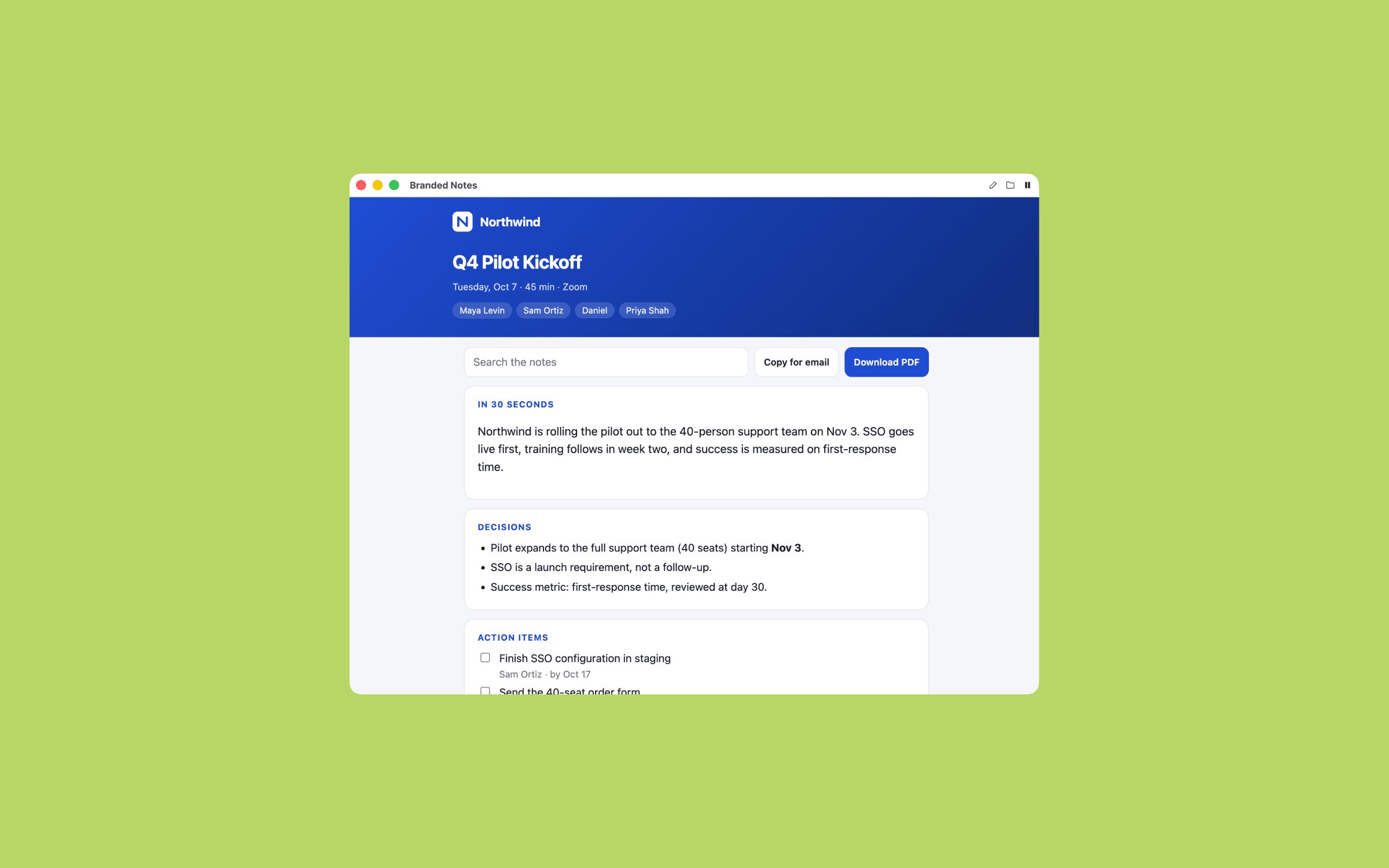
סיכום ממותג
סיכום פגישה עם הלוגו והצבעים שלך, מוכן להעברה.
ה-prompt
Set up the Branded Notes playbook from Timeless for me. After every meeting, I get a polished summary page with my company's logo and colors, ready to forward to the people who were in the room. Work through these steps in order.

1. Check Timeless first
Run `timeless version --json`. If `timeless` is not on your PATH, try /Applications/Timeless.app/Contents/Resources/timeless-cli/timeless (or the same path under ~/Applications). Then run `timeless status --json`.
- If both work and status shows "authenticated": true, tell me in one line that Timeless is already installed and connected, then go straight to step 2. Do not run the onboarding again.
- Otherwise: Set up Timeless for me. Fetch https://docs.timeless.day/cli/agent-install.md and follow those instructions exactly. When setup is done, continue with step 2.

2. Ask me first
Ask everything in one short message, suggest a default for each, and wait for my answers. If this message already answers something, don't ask it again.
- Company name, as it should appear on the page.
- Logo: ask me to drag in a PNG or SVG file, give a path on this computer, or share my company website so you can pull the logo from it. Show me the logo you found and confirm before using it.
- Brand colors: my hex codes, or should you take them from the logo?
- Who reads these notes: only my team, or clients and partners too? That sets the tone.
- Language: always English, or the language each meeting was held in?
- Timeless already comes with a default notes playbook (transcript_notes). Should I turn it off so I get only the branded version? Don't delete it either way, only disable it.

3. Build it
First save the logo once as ~/.config/timeless/brand/logo (keep its format), and build a reference page at ~/.config/timeless/templates/branded-notes.html that carries the logo inlined as a data URI, plus my colors and all styles and scripts. Then create an event-driven playbook named branded_notes (on.event: meeting.transcript_ready). Its prompt should:
- Read the meeting with `timeless meetings get {{.MeetingID}}` and `timeless meetings transcript {{.MeetingID}}`. If either fails, the id is empty, or the transcript is empty, write nothing and print why.
- Copy the reference page and fill only its content: my logo masthead, the meeting title, date and attendees, a 30-second summary, decisions, action items with owners and checkboxes, open questions (hide this section if there are none), and one collapsed section per topic in the order discussed. End with a small footer.
- Add three controls: search, "Copy for email" (a plain-text version of the notes, with a fallback that works when the page is opened as a local file), and "Download PDF", which builds the PDF in the page and never opens a print dialog.
- Write it like a sharp colleague: facts from the transcript only, say who said what when it matters, keep decisions, action items and open questions clearly apart, and never invent anything.
Read the timeless skill that came with Timeless, especially its guide to customizing playbooks, before you edit anything. Add the playbook to ~/.config/timeless/config.yaml and leave every existing playbook exactly as it is. Its prompt must follow the Timeless success contract: write one complete, self-contained HTML file to {{.OutPath}} with all CSS, JS, fonts and images inlined (the file opens offline, so nothing may load from the network). If the data it needs is missing, it writes nothing and prints why. A file is delivered to me as a finished result, so never write a placeholder or an error page. The playbook must never open, preview or play anything on my computer while it runs.
Then run `timeless playbooks validate branded_notes` and fix anything it reports.

4. Show me a dry run
Run it on my most recent meeting without using up any queued meeting: get the newest id with `timeless meetings list --status completed --limit 1 --json`, follow the playbook's own instructions for that meeting by hand, write the result to a preview file outside ~/.local/share/timeless/artifacts, and show it to me. Never use `timeless playbooks run --event-type` for this, because that consumes real meetings. If I have no recorded meetings yet, skip this and tell me it will run after my next one.
Finish with two lines: what you built and when it runs, and how to pause it (`timeless playbooks disable branded_notes`).